- Home
- Global Shopping
- global shopping test
- ActiveImage Protector Server
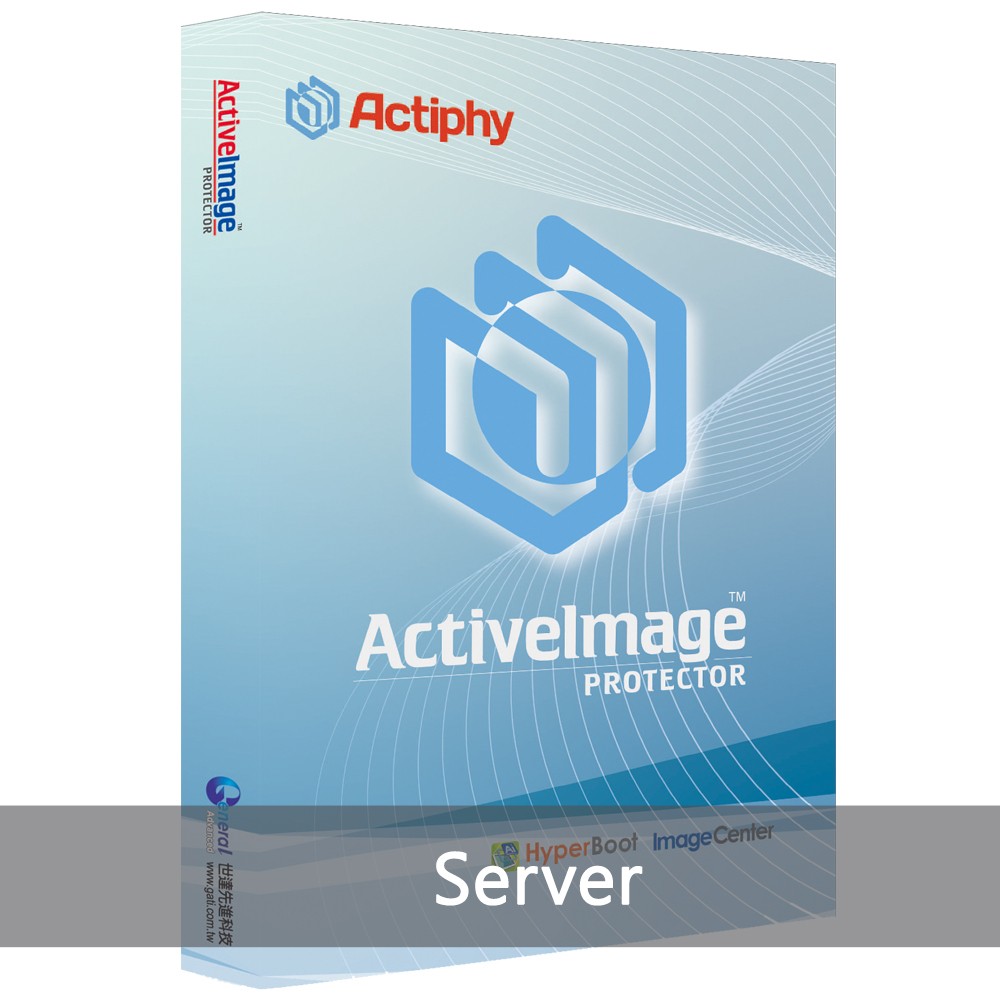
ActiveImage Protector Server
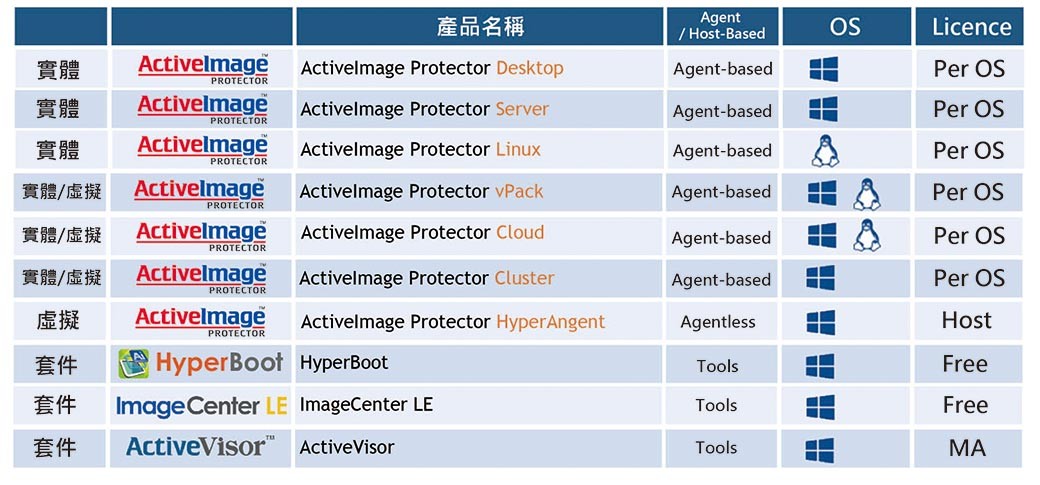
ActiveImage Protector is an enterprise-level backup and disaster recovery solution that supports both physical and virtual (Hyper-V/VMware), Windows/Linux, On-Premise/Cloud environments. ActiveImage Protector is the fastest and most powerful data protection solutions on the market, and provides all the necessary tools for enterprise deployment and management, immediate system recovery, switch-over availability, and virtual migration.
Note: To protect your rights and understand your environmental needs, please apply for a trial download before you purchase .
Image based backup
ActiveImage Protector™ backs up your entire machine, including the OS, settings, data files and applications, and access rights into a single image file. When disaster strikes, select a backup image to quickly restore for a fast and complete recovery.
Direct-To-Cloud Backup
Backup systems directly to cloud storage. Supported public cloud storage services include Amazon S3 and Azure as backup destinations. In addition, Direct-To-Cloud Backup also supports SFTP servers as backup destinations.
File Backup
A new file backup option providing granular point-in-time backup and restore of specific files and folders.
LTO Tape Support
Support for LTO as a backup destination. Backup data saved on tape can be physically isolated from ransomware attacks and ensures long-term archival stability.
Ensure full-state recovery
ActiveImage Protector™ backs up your entire hard disk including the operating system in a single operation. In the event of a hardware failure, the system can be restored to a different physical machine or a virtual machine.
In-Cloud Recovery
Any backup image can be restored directly to a virtual machine within the same cloud environment. In-Cloud Recovery offers an easy system migration of on-premise virtual or physical machines directly to cloud environments.
Hybrid Licensing for Server Edition
Selectable Agent-based or Agentless Backup licensing is now available for server edition.
Faster and smaller backup with Smart Sector technology
ActiveImage Protector™’s Smart Sector™ technology only backs up the used sectors on a disk, resulting in faster backup and smaller backup files.
CBC (Changed Block Comparison™) Technology
Actiphy’s proprietary Changed Block Comparison™ (CBC) technology comprehensively analyzes a volume’s file system and identifies changed blocks that need to be backed up. As CBC is an installed program rather than a filter driver, incremental backups of NTFS volumes, are supported. A system restart is not required upon the installation or update of the program.
Save storage space with IDDC
Our Inline Data Deduplication Compression (IDDC) feature eliminates duplicate data while simultaneously compressing it, resulting in a significant reduction in backup storage requirements. An included advanced option, IDDC has no impact on backup processing time. No additional deduplication hardware or software purchase is necessary.
Bootability check by BootCheck™
BootCheck™ provides confidence that your backup images are bootable from local or remote Hyper-V hosts. BootCheck™ confirms bootability of a virtual machine directly from a backup image file.
Disk-To-Disk Copy
A new disk-to-disk copy option that supports physical disks and volumes, for a complete sector by sector copy. The Disk-to-disk Copy feature can select the entire disk or a specific volume to copy, or copy to a higher capacity disk or volume.
Boot Environment
Linux-based Boot Environment boots up on memory. Windows-based Boot Environment can be built without installation of Windows ADK.
Image Target Server
Utilize iSCSI targets and NFS exports to emulate backup images as virtual disk files for flexible and immediate recovery or migration.
Boot backup images instantly using HyperBoot™
Using our real-time virtual conversion technology, HyperBoot bypasses the lengthy, resource intensive, and cumbersome physical to virtual conversion process, and boots the backup as a virtual machine in minimal time. Changes made while running the virtual machine from a backup are saved as differential files. A proverbial “Spare Wheel” for recovery, migration testing, repair, or upgrading prior to actual deployment.
Hardware
CPU:
Pentium 4 or above.
Main Memory:
2GB or more.
Hard Disk:
650MB or more of available disk space.
DVD-ROM drive:
Needed to install, boot, or start up the ActiveImage Protector boot environment.
Operating System
Windows
- Windows Server 2022
- Windows Server 2019
- Windows Server 2016
- Windows Server 2012 R2
- Windows Server IoT 2019 for Storage
- Windows Storage Server 2016
- Windows Storage Server 2012 R2
Hypervisor
- Windows Server 2022 Hyper-V
- Windows Server 2019 Hyper-V
- Windows Server 2016 Hyper-V
- Windows Server 2012/2012 R2 Hyper-V
- VMware vSphere ESX[i] 5.1 / 5.5 / 6.0 / 6.5 / 6.7/ 7.0
- The operating systems above stated as guest OS of virtual machines on the respective hypervisors are also supported.
- As for the backup source OS for HyperAgent, please refer to our knowledge Base
- For the support information about the other hypervisors, please contact us.
Description of the purchase process
Dear Sir :
Thank you for purchasing products from GATI. To protect your rights, please apply for a trial download first to realize your environmental needs.
There are two methods to apply for trial download:
A. Apply online: fill in the version which you need to use https://www.actiphy.com.tw/download, we will reply within three working days.
B. Apply by phone: dial the service number (02) 2789-1100 # 550, we will serve you immediately.
Description of the download version purchase process:
1. Add to the shopping cart and select the payment method (only credit cards are provided) and check out.
2. When checking out, you will need to fill in the purchaser + recipient's E-mail + contact phone number, please be sure to fill it in correctly to facilitate tracking of the order and delivery of the trail key.
3. Within 1~2 working days, we will send the trail number to your E-mail
4. Please follow the steps to download the file and enter the trail key to install and activate.
*Note*
※If you have not received the trail key, please check out your spam folder.
※This is a digital download version. The trail key will be sent by Email, and no physical products will be shipped. Please pay attention before you purchase, thank you.
※Please choose the product you need carefully before purchasing. The trail key will be displayed by mail. Once you get the product, you cannot return or exchange the product.
※This is a digital content service and completed as soon as it is provided. The free return within 7 days is not applicable. If you purchase it with your prior consent, according to the provisions of the Consumer Protection Law, you will not be entitled to the free return within 7 days. No return is allowed.
Information about apply for Actiphy activation code:
1. Product software name (please specify version).
2. Purchase detail (individual/company).
3. Purchaser's name, e-mail address, and telephone number.
4. Purchase date (order date or order date).
If you have any questions during the operation, please contact the customer service, we will serve you immediately. Thank you for your support and cooperation.
Service Email: service@gati.com.tw
Service Tel: (02) 2789-1100#550